The Natural Instinct: Why Naive Rate Limiting Fails
When developers first experience a server crash caused by runaway requests, the instinct is almost always to write a quick, self-made barrier directly inside the application code.
The concept seems straightforward on paper: every time a request arrives at your API, look at the visitor’s IP address, store that address in a local list in server memory, and add a counter. If that specific IP address sends more than a set number of requests within a minute, tell the server to reject the incoming connection.
While this solution might survive testing on a quiet development laptop, it creates catastrophic failure points once deployed into a real production environment.
1. Severe Memory Exhaustion
Modern automated scrapers and distributed bot networks rarely attack from a single location. Instead, they cycle through tens of thousands of dynamic proxy IP addresses. If your application attempts to record, track, and update every unique IP address in its active process memory, that internal list expands uncontrollably. Within hours of an automated scan, your application server consumes all available system RAM, hits an out-of-memory error, and abruptly terminates the entire process.
2. The Deployment Reset Trap
Because this naive tracking lives entirely inside your running application’s volatile memory, it is temporary by nature. The moment you push a routine bug fix, deploy an update, or restart your web server, the entire tracker vanishes. Counters drop back to zero, granting abusive scrapers an open window to hammer your system with zero restrictions until counts build up again.
3. Multi-Server Blindness
Production systems rarely live on a single isolated server forever. As your product grows, you naturally scale out by adding multiple server instances behind a load balancer or across global regions. If server counters are trapped in local process memory, each server remains completely blind to what the others are experiencing. An aggressive scraper can hit your first server dozens of times, jump to the second server for another burst, and continue to your third server without any single instance realizing that an attack is taking place.
The Architecture Shift: Protecting the Gate at the Edge
Production-grade engineering approaches this problem from an entirely different philosophy: never allow unverified, unvetted requests to enter your application’s living room.
Think of your backend infrastructure like an exclusive venue:
-
The Fragile Architecture: The security guard is stationed inside the private kitchen. You allow thousands of strangers to push through the front doors, fill the main lobby, crowd the dining tables, and make a massive commotion before anyone ever stops to ask if they have an invitation.
-
The Production Architecture: The security guard stands outside the perimeter gate. If a visitor attempts to force their way through the turnstile fifty times in five seconds, they are handed a polite, immediate waiting card right at the gate. They never take a single step inside the venue, and the guests enjoying dinner in the dining hall never even notice a disturbance.
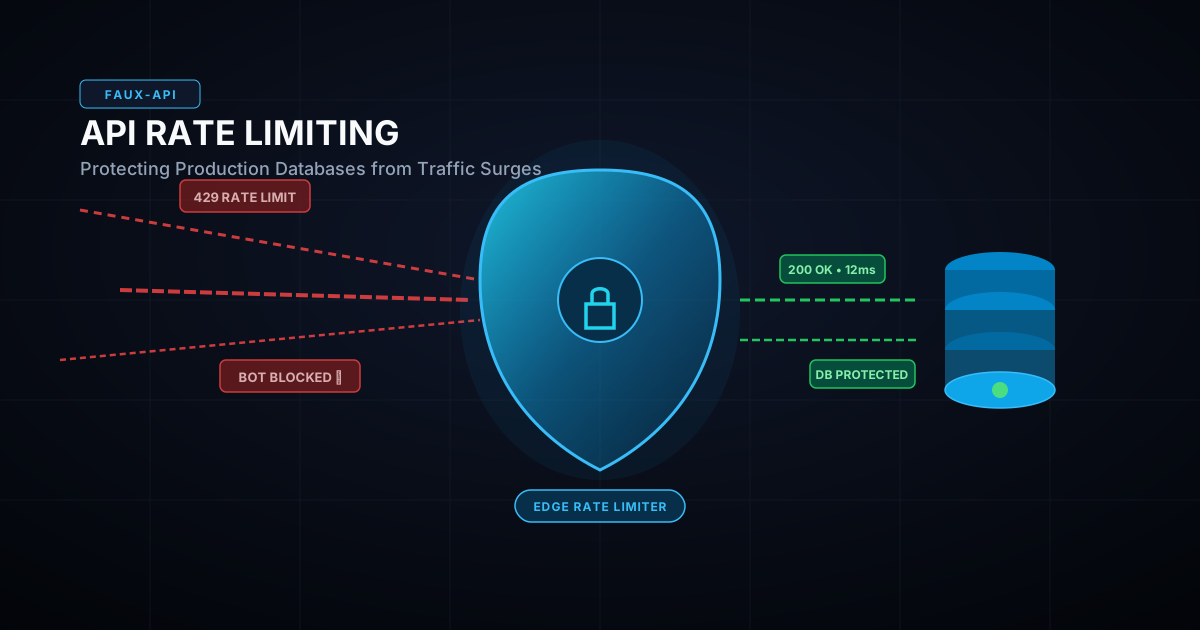
In modern cloud computing, this perimeter gate is called the Edge Layer.
Instead of allowing high-frequency incoming connections to reach your primary application code, spin up expensive compute instances, or lock up relational database tables, incoming traffic encounters an ultra-fast verification layer positioned directly at the network boundary.
Under the Hood: High-Speed Memory Stores and Smart Algorithms
To stop abusive traffic in under a single millisecond without slowing down real customers, the edge layer relies on specialized, high-performance in-memory systems.
Rather than writing to a traditional, disk-heavy relational database, the edge gate checks against distributed in-memory data stores that can read and increment counters in sub-millisecond speeds.
Modern architectures commonly rely on proven algorithmic approaches to keep tracking accurate:
-
Fixed Window Systems: A simple model that counts requests within an exact timeframe, such as a single calendar minute. While easy to grasp, it can sometimes allow small bursts of traffic if a user fires requests right at the border where one minute ends and the next begins.
-
Sliding Window Logs and Counters: A far more resilient, production-ready design that continuously measures an rolling window of time relative to the exact millisecond of the incoming request. This eliminates boundary spikes and guarantees a smooth, predictable flow of network traffic.
-
Token Bucket Mechanics: A system where each user has a virtual bucket that continuously refills with action tokens at a steady rate. A quick burst of normal user activity is allowed until the bucket empties, after which further actions are temporarily paused until tokens naturally regenerate.
Because these checks happen within synchronized, distributed memory stores, all of your servers across different data centers share an identical, real-time security picture. A bot blocked in one region is instantly neutralized across the entire global infrastructure.
Communicating Gracefully: The Standardized Handshake
When a visitor crosses a safety threshold, a professional backend does not panic, drop the connection abruptly, or output messy error screens. Instead, it maintains clear, transparent communication by returning the globally recognized HTTP 429 Too Many Requests response status.
Along with this status code, production endpoints deliver clear, informative response headers that tell client applications exactly what is happening:
-
The Total Allowed Limit: Informs the client of the maximum number of actions permitted within a defined time window.
-
The Remaining Quota: Shows precisely how many actions the client has left before throttling kicks in.
-
The Reset Countdown: Delivers a clear timestamp or second counter indicating the exact moment when their limit refreshes and requests can resume safely.
When configured correctly, legitimate client applications—like your own web or mobile frontend—can read these headers programmatically. If a user triggers a temporary pause, the frontend can smoothly display a friendly notice such as “Please wait a moment before trying again” rather than breaking down into an unhandled crash screen.
Focus on Building, Not Reinventing the Wheel
Designing, configuring, and maintaining an enterprise-grade rate-limiting pipeline requires substantial operational overhead. You have to provision distributed in-memory clusters, tune high-throughput connection pools, implement sliding-window logic, and handle edge network routing—all before you even start writing the actual features your users are paying for.
For independent developers, fast-moving agencies, and growing startups, spending weeks configuring custom infrastructure defenses is a massive drain on development momentum.
Modern backend platforms solve this by integrating these defenses directly into the core engine. Platforms like Faux-API provide production-grade, distributed rate limiting and automated traffic protection out of the box. Abusive bots and scrapers get intercepted at the edge, expensive database queries stay completely protected, and your production applications stay fast, reliable, and online—no matter how unpredictable the traffic becomes.
Frequently Asked Questions (FAQs)
1. What is the difference between rate limiting and throttling?
Rate limiting sets a hard ceiling on the total number of requests a client can make within a specified timeframe (e.g., maximum 100 requests per minute). Once this threshold is reached, additional requests are blocked with an HTTP 429 status code. Throttling, on the other hand, slows down the speed or bandwidth of incoming traffic rather than cutting it off entirely, spreading requests out to prevent immediate server overload.
2. Why shouldn’t I track rate limits directly in application memory?
Tracking request counts inside application variables causes two major issues. First, dynamic bot attacks that cycle through thousands of IPs will quickly trigger memory leaks and crash your Node.js or Python server. Second, if your app runs across multiple server instances or restarts during a deployment, all stored counts reset to zero, leaving your application temporarily unprotected.
3. Does rate limiting slow down legitimate users?
No. When implemented at the edge layer using ultra-fast, distributed in-memory data stores, rate limit verification takes less than 1 millisecond. Genuine visitors will not experience any perceptible latency, while abusive traffic is dropped before it can overwhelm your primary database.
4. How does Faux-API handle rate limiting by default?
Faux-API incorporates edge-level, distributed rate limiting directly into its production backend infrastructure. It intercepts and filters unauthorized high-frequency requests, malicious scrapers, and runaway loops at the network perimeter without requiring you to configure external cache clusters or write custom middleware from scratch.

