
Faux API for Building and Running APIs
Faux API helps developers build, launch, and run APIs smoothly in real-world applications.
Create reliable backends that are ready to handle real usage without complexity.
Get started for free
Set up a complete API backend on Faux API's SQL-powered platform by signing up for a free account or choosing a custom plan.
Unlock more features as your needs grow.
 Native MCP Integration
- Automatic Schema Sync
- Zero-Config Backend
- No CORS Issues
- Cursor & Claude Optimized
- Production Ready
What We Offer at Faux API
We offer two API solutions — production-ready APIs with dedicated infrastructure for scalable applications,
and instant mock APIs for rapid testing and prototyping.

Zero-Signup API Playground
Build and test functional API endpoints in seconds without creating an account. The ultimate friction-free sandbox for rapid prototyping and developer experiments.
(with MCP Support)
Production API Platform
Create real APIs with a dedicated database per project, global infrastructure, and scalable backend designed for real applications.
(with full MCP Support)
Global Speed & Reliability
Powered by distributed infrastructure with high availability and optimized performance across regions with 99.9% uptime guarantee.

Unlimited Performance
Support for Global Caching, unlimited bandwidth, and joins across multiple APIs to optimize performance.
Global SMTP Relay
Send transactional emails instantly with our secure, globally distributed mailer service and real-time logs.
API Analytics & Security
Track real-time hits, bandwidth, and peak traffic. Secure your endpoints by blocking malicious IPs and domains directly.

CRUD Operations
Create, read, update, and delete data with simple API endpoints.

API Joins
Combine multiple APIs into a single response to reduce multiple requests.

Filters
Retrieve specific data using query filters for precise API responses.
Key Validation
Secure your APIs with key-based validation to control access.
Data Indexing
Improve performance by optimizing data retrieval with indexing.
How It Works
Follow a simple process to create and use APIs quickly and efficiently.
Watch the tutorial here

1. Create an Account
Sign up to access your dashboard and start building APIs. Once registered, you can manage projects, create APIs, and work with a structured backend environment without any setup.

2. Add Project
Create a project to organize your APIs and data. Each project comes with a dedicated database, allowing you to manage structured data and build APIs in a clean and scalable way.
3. Create API
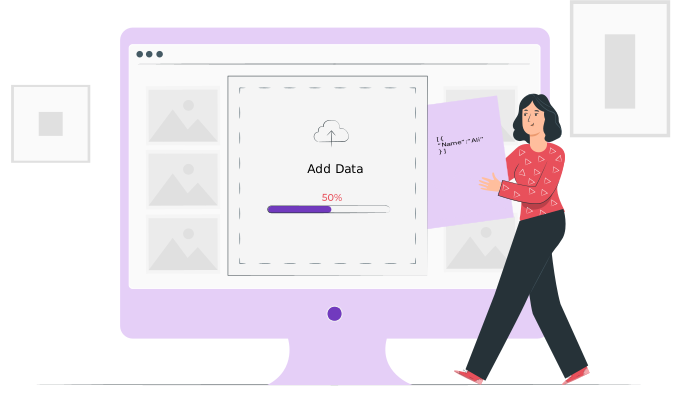
Define your API by adding data and structure. Faux API automatically generates REST endpoints with support for CRUD operations, filters, and joins, making API creation fast and efficient.

4. Use API in Your Application
Integrate the generated API endpoints into your frontend or backend applications. Fetch, update, and manage real data seamlessly with a scalable and production-ready API system.
Securing Your APIs with Faux API Authorization
Faux API lets you protect your APIs so only approved people or systems can use them. You can
control access in two main ways — and even use both together for extra protection.

1. Token Authorization
This method works by giving each user or system a special key called an API token. Whenever someone wants to use your API, they must include this token in their request.
For example, they’ll need to add something like this in their request header:
Authorization: Bearer YOUR_TOKEN_HERE
If someone tries to use your API without the correct token, their request will be rejected. This way, only those who have the token can successfully connect to your API.
2. Domain Authorization
Instead of using a token, you can also control which websites are allowed to send requests.
You can create a list of approved domains — websites you trust. If a request comes from any other site that isn’t on that list, Faux API will block it automatically.
This option is especially useful if your API is meant to be used only within your own websites or applications.
3. Using Both Together
For the highest level of security, you can enable both token and domain authorization. This means:
- The request must come from an approved domain and
- It must include the correct API token.
Even if someone manages to get your token, they won’t be able to access your API unless they’re also on an allowed domain.
4. Malicious Attack Mitigation
For advanced protection against malicious attacks, DDoS, or scraping attempts, Faux API allows you to monitor traffic in real-time. If you detect suspicious activity, you can instantly block specific IP addresses or entire domains through your Analytics Dashboard, ensuring your service remains stable and secure.
Why It’s Safe
By combining these methods, you make it much harder for anyone to misuse your API. Tokens protect against unauthorized users, domain filters control where requests originate, and IP blocking provides a manual kill-switch for malicious actors. Together, they ensure your data stays private and your API stays secure.
Explore and Debug APIs with a Powerful API Client
and JavaScript Code
Interact with your APIs, inspect responses, and validate functionality with simple and efficient tools.
Ensure everything works smoothly without complexity.

Instant Mock APIs – No Signup, No Hassle.
Make a Mock API in seconds without creating a account. It's great for quick tests, building the front end,
and sharing test APIs. It's easy, quick, and ready to use right from your browser.

Code Examples
Easily configure links, create custom data, and execute tasks using Faux API user-friendly interface. Streamline
your workflow with efficiency.
Send data effortlessly with our POST API
Submit your limitless data effortlessly with our POST API.
Read MoreEffortlessly delete data using our DELETE API
Easily delete your data with our convenient DELETE API.
Read MoreUpdate data seamlessly with our UPDATE API
Easily update your data with our user-friendly UPDATE API.
Read MorePagination with Searching and Sorting
Easily navigate and organize data with pagination, search, and sorting functionalities
Read MoreAPI Relationships
Learn how to connect multiple APIs to return related data in a single response.
Read MoreSMTP Relay Integration
Send transactional emails using Faux API's global SMTP relay. Real-time logs and easy setup.
Read More