
Today’s fast-paced development environment requires building and deploying production APIs quickly and efficiently. Modern applications depend on reliable backend systems that can handle real data, scale with demand, and operate without interruptions. Using production APIs with real database support is one of the most effective ways to build, run, and scale applications.
Faux API enables developers and teams to create production APIs quickly without managing backend complexity or infrastructure. It provides a structured approach to building APIs that are ready for real-world usage, allowing faster development and smoother deployment.
In this article, we explore how to create production APIs using Faux API, along with its key capabilities, workflow, and real-world use cases.
What is a Production API?
A production API provides real backend functionality and returns actual stored or processed data to client applications. It operates as a core layer of modern applications, ensuring consistent communication between frontend systems and backend services.
Production APIs allow teams to:
- Handle real application requests and deliver live data responses
- Separate frontend and backend systems effectively
- Enable parallel development across teams
- Provide reliable backend services for applications
- Improve development efficiency with structured workflows
- Support scalable architecture for growing applications
- Ensure consistent performance under real user traffic
Why Use Faux API?
Faux API provides a streamlined way to build and manage production APIs with speed, reliability, and scalability. It simplifies backend development while ensuring APIs remain structured and production-ready from the beginning.
1. Zero Code Required
You can design production APIs without writing code, enabling both technical and non-technical users to build APIs efficiently while maintaining production standards.
2. Speed
Create fully functional production APIs in minutes with high-speed performance across global infrastructure. Built on multi-region infrastructure, APIs respond quickly and efficiently regardless of user location, ensuring low latency and consistent performance.
3. Caching Support
Caching mechanisms improve API response times by reducing repeated processing and database load. This results in faster data delivery, consistent performance, and efficient handling of high traffic in production environments. For more details, see Cache management.
3. Flexibility
Define multiple endpoints, methods, and structured responses that align with real application requirements and production workflows.
4. User-Friendly Interface
The platform provides an intuitive interface that allows users to create, manage, and scale APIs without complexity.
5. Integration Ready
Production APIs can be integrated directly into applications, services, and workflows, enabling seamless connectivity across systems.
6. Scalable Infrastructure
Built on global infrastructure, Faux API supports high-performance workloads and efficiently handles increasing traffic and application load.
7. Instant API and Database per Project
Faux API provides two powerful ways to create production APIs. You can use Instant API to quickly generate APIs for immediate use, or create a dedicated database per project after signup. Each project includes its own data layer, allowing you to manage real data, define endpoints, and run production APIs with full control and scalability.
Getting Started with Faux API
Follow these steps to create and deploy production APIs efficiently:
Step 1: Sign Up
Create an account using a valid email address to get started. After signing up, you gain access to your dashboard where you can create projects and manage production APIs. Sign up here.
Step 2: Create a New Project
After logging in, navigate to your dashboard and click “Create New Project.” Add a name and description to organize your API structure. Each project comes with its own dedicated database for managing production data.
Step 3: Access Your Project
Log in to your account to access your project dashboard where you can manage APIs, endpoints, and data. You can also monitor how your APIs behave under real usage conditions.
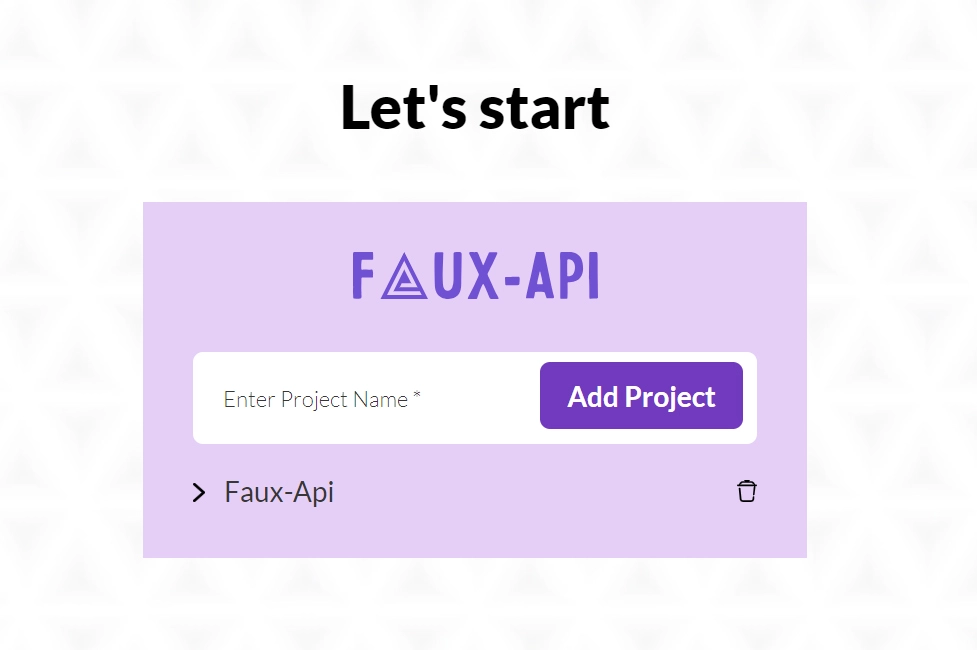
Step 4: Add a Project
Click the “Add Project” button to create a new API project and start defining endpoints connected to a dedicated database. This ensures your APIs are ready for production usage from the beginning.
Step 5: Get API URL
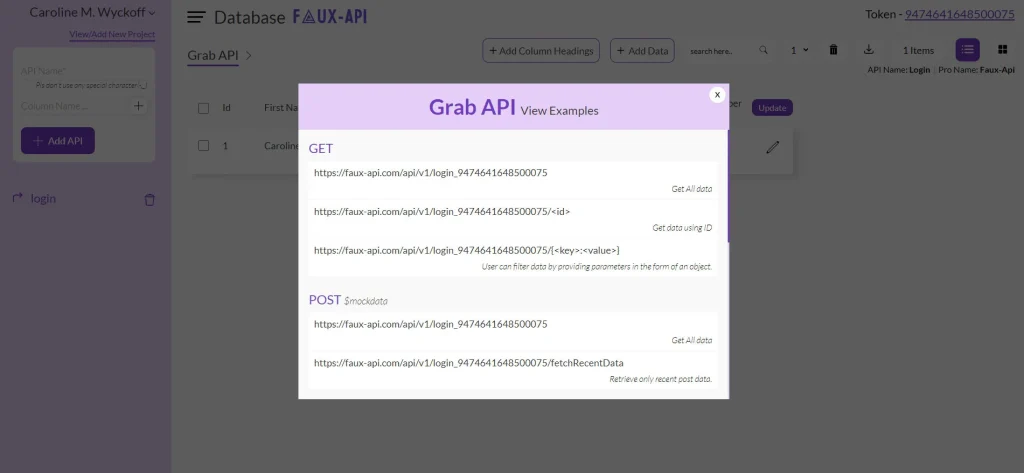
Use the “Grab API” option to obtain your API URL. This allows direct integration with applications, enabling immediate usage of your production APIs.
Step 6: Integrate and Use
Your team can access the API URL once your production API is created and integrate it directly into applications for real-world usage, ensuring reliable data handling, scalability, and consistent performance.
Practical Use Cases of Production APIs
Production APIs play a critical role across different application scenarios:
1. Front-End Development
Frontend applications can connect directly to production APIs with database support, enabling real data handling, dynamic UI rendering, and complete application workflows.
2. Application Validation and Stability
Production APIs allow teams to configure multiple endpoints and manage structured data responses, ensuring consistent application behavior, stability, and performance under different conditions and workloads.
3. Feature Demonstration
Production APIs help teams present real application functionality using actual API structures, enabling better understanding of system behavior and features.
4. Team Collaboration
Multiple teams can work with shared API structures, ensuring consistency in data formats, workflows, and system behavior across the application lifecycle.
Conclusion
Faux API enables teams to create and manage production APIs efficiently, reducing complexity while improving development speed and system reliability.
By providing instant API creation, dedicated database support per project, and scalable global infrastructure, it allows teams to build applications that are ready for real-world usage from the start.
Whether you are building applications or managing backend workflows, production APIs ensure your systems remain scalable, reliable, and efficient.
Build faster, deploy confidently, and run production APIs with reliability and scale.

